
FotoAI Keyboard Themes & Fonts3.0.1 - Google Play
You'll be able to see results in few seconds.
Publisher Description
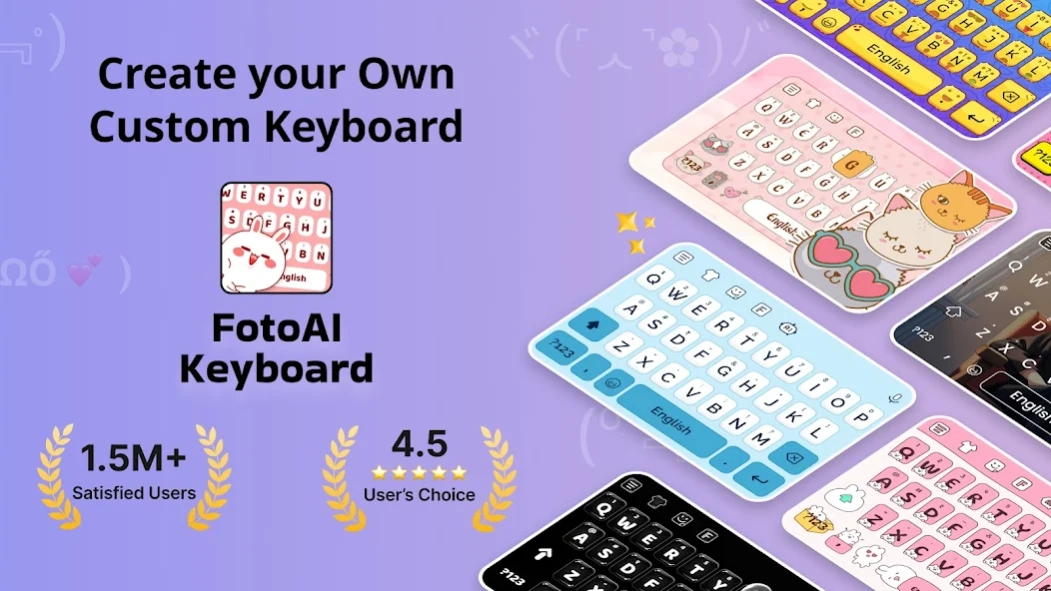
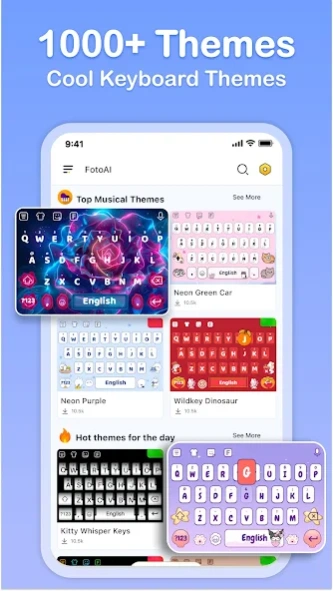
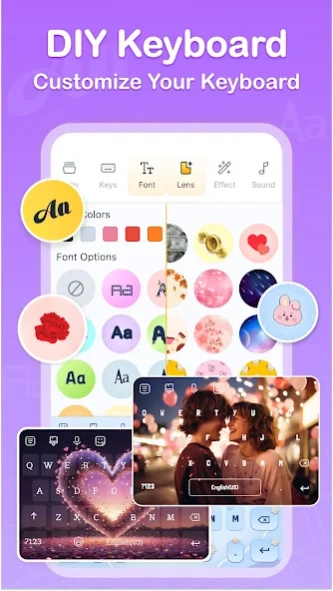
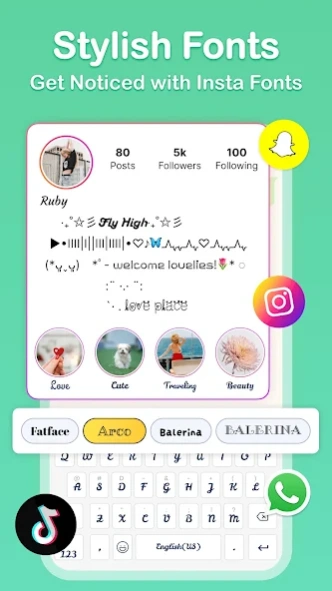
Create Your Own DIY Keyboard with 1000+ Themes, Fonts & Emojis
FotoAI Keyboard Themes & Fonts App elevates your typing experience with its latest and stylish custom keyboard app. This smart custom keyboard has 1000+ keyboard emojis, cool keyboard fonts, stylish photo keyboard themes, stickers for WhatsApp, Kaomoji, DIY Avatar, and more to enhance your photo keyboard experience.
🔥 Key Features of FotoAI Keyboard - Themes & Fonts App
⭐ Custom Keyboard Themes ⭐
Personalize your typing experience with over 1000+ fancy keyboard themes in our keyboard app. Create your own keyboard wallpaper using your photo, or try the diy keyboard option with custom buttons, fonts, tapping effects (like BTS light sticks), and tapping sounds (guitar, piano) to decorate your keyboard background.
New themes are added weekly, including K-pop idols, BTS, LED keyboards, and more.
⭐ Emojis and Stickers ⭐
Communicate effectively with the latest keyboard emoji, emoticons, free stickers, symbol keyboard art, and GIFs. Our emoji keyboard supports TikTok-style emojis, trending stickers, and cute icons.
⭐ Insta Fonts Keyboard ⭐
Tired of the same old fonts? Change it up with our font keyboard. Add style to your Instagram bio or TikTok comments using 100+ fonts art and surprise friends with custom letters.
⭐ Text Art and Kaomojis ⭐
Move beyond emojis with keyboard customizer tools for text art and Kaomojis. Enjoy 100+ fun and expressive combinations.
⭐ Text Bomb ⭐
Blast affectionate messages on WhatsApp, TikTok, or Instagram without typing each one. Use our one-tap meme keyboard to deliver fun.
⭐ Fun Chat Features ⭐
Let the AI generate memes, add spice to your conversations, or upgrade your stories – all via our stylish keyboard apps.
⭐ Swipe Dictionary ⭐
Use our smart swipe keyboard to send pre-set messages fast. Save time by just swiping letters or shapes to activate responses.
New AI Features
⭐ Face Stickers ⭐
Snap a selfie and turn it into stickers using advanced AI. Powered by our face emoji keyboard.
⭐ AI Avatar ⭐
Transform photos into unique 3D avatars using the face keyboard and our custom avatar maker.
🔥 Additional AI Keyboard Features
Our top-rated fonts keyboard helps create standout bios, captions, and stylish posts across apps like WhatsApp, LINE, Facebook, and Snapchat. Whether it’s bold fonts or cute emoji faces, the facemoji keyboard has everything you need.
Ask anything to our smart AI assistant—from paraphrasing captions to finding perfect memes.
Save effort and let the keyboard customizer write smoother, smarter messages—no awkward synonyms or errors.
Why Choose FotoAI Keyboard - Themes & Fonts App? 🤔
FotoAI Keyboard isn't just another emoji keyboard — it's a revolution in digital communication. It makes texting more creative, fun, and personal, all while reflecting your style.
🟡 Feedback and Support
Have questions about our fonts keyboard or keyboard background? We're here to help.
Get started with FotoAI Keyboard Themes & Fonts 🤩 and turn your everyday typing into a personalized art form.
About FotoAI Keyboard Themes & Fonts
The company that develops FotoAI Keyboard Themes & Fonts is Galaxy studio apps. The latest version released by its developer is 3.0.1.
To install FotoAI Keyboard Themes & Fonts on your Android device, just click the green Continue To App button above to start the installation process. The app is listed on our website since 2026-11-11 and was downloaded 0 times. We have already checked if the download link is safe, however for your own protection we recommend that you scan the downloaded app with your antivirus. Your antivirus may detect the FotoAI Keyboard Themes & Fonts as malware if the download link to com.foto.ai.keyboard is broken.
How to install FotoAI Keyboard Themes & Fonts on your Android device:
- Click on the Continue To App button on our website. This will redirect you to Google Play.
- Once the FotoAI Keyboard Themes & Fonts is shown in the Google Play listing of your Android device, you can start its download and installation. Tap on the Install button located below the search bar and to the right of the app icon.
- A pop-up window with the permissions required by FotoAI Keyboard Themes & Fonts will be shown. Click on Accept to continue the process.
- FotoAI Keyboard Themes & Fonts will be downloaded onto your device, displaying a progress. Once the download completes, the installation will start and you'll get a notification after the installation is finished.
Program Details
System requirements
Download information
Pricing
Version History
version 3.0.1
posted on 2026-11-11
version 2.4.5
posted on 2025-05-12
🛠️ Various bug fixes and product enhancements
version 2.0.15
posted on 2024-09-26
🌐 Enhanced keyboard with Language Key and Emoji Key
🛠️ Various bug fixes and product enhancements
version 2.0.8
posted on 2024-09-14
🆕 Introduced AI Avatar
😊 Added new Face Stickers
🌐 Enhanced keyboard with Language Key and Emoji Key
🛠️ Various bug fixes and product enhancements
Disclaimer
Official Google Play Link
We do not host FotoAI Keyboard Themes & Fonts on our servers. We did not scan it for viruses, adware, spyware or other type of malware. This app is hosted by Google and passed their terms and conditions to be listed there. We recommend caution when installing it.
The Google Play link for FotoAI Keyboard Themes & Fonts is provided to you by apps112.com without any warranties, representations or guarantees of any kind, so access it at your own risk.
If you have questions regarding this particular app contact the publisher directly. For questions about the functionalities of apps112.com contact us.
